
Python基础 – 类与对象
<p>在生活中,我们通过特征与功能来描述一个具体对象,转换到代码中就变成了数据与函数。
回顾已经学过的内容,我们学习了用来存储数据的变量与用来存储代码的函数。
现在让我们把变量与函数打包,来学习在程序中创建类与对象。</p>
<p>类代表着一类事物,比如人类,鸟类,汽车,电脑。当我们提起这些事物的时候,我们并不特指某一个具体的东西,比如人类是泛指抽象的全人类</p>
<p>而对象指的是类的实例,比如人类的对象是某个具体的人,如张三,李四,tony和kevin。</p>
<h2>类与对象</h2>
<p>类代表一些拥有相同特性与功能的事物,如鸟类,人类,猫类等。</p>
<p>类中的某一个具体实例称为这个类的实例对象,简称为对象。</p>
<p>若请你介绍一下自己的手机,你会如何去做?
你可以通过颜色、型号、容量大小,屏幕尺寸等数据来描述它的特征;
也可以用拍照、安装应用、打电话等操作来描述它的功能。
<img src=“https://assets.moshanghua.net/images/2022/08/msh-2600-01.png” alt=“” /></p>
<p>我们可以把拥有上述特性的设备都归类于手机,即手机就是一个类。</p>
<p><strong>手机的特征称为这个类的属性,手机的功能称为这个类的方法。</strong></p>
<h2>属性与方法</h2>
<p>定义:
属性用来描述这个类的一些特征,如品牌,颜色,型号是手机的属性。</p>
<p>方法用来表现这个类的一些功能,如拍照,打电话等是手机的方法。</p>
<p>在Python中通过<code>class</code>关键字来创建一个类。
为了方便理解,接下来在程序中定义一个手机类。
并为手机设定两个方法:打电话,发短信。
<img src=“https://assets.moshanghua.net/images/2022/08/msh-2600-02.png” alt=“” /></p>
<h2>类的定义</h2>
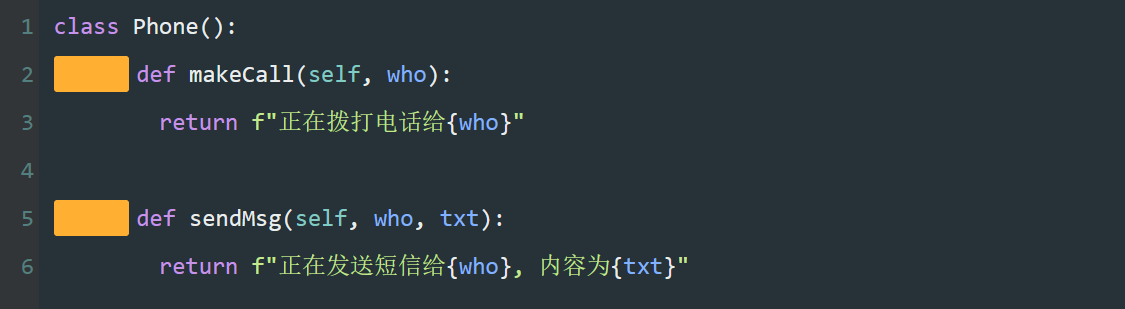
<pre><code class=“language-python”>class Phone():
def makeCall(self, who):
return f"正在拨打电话给{who}"

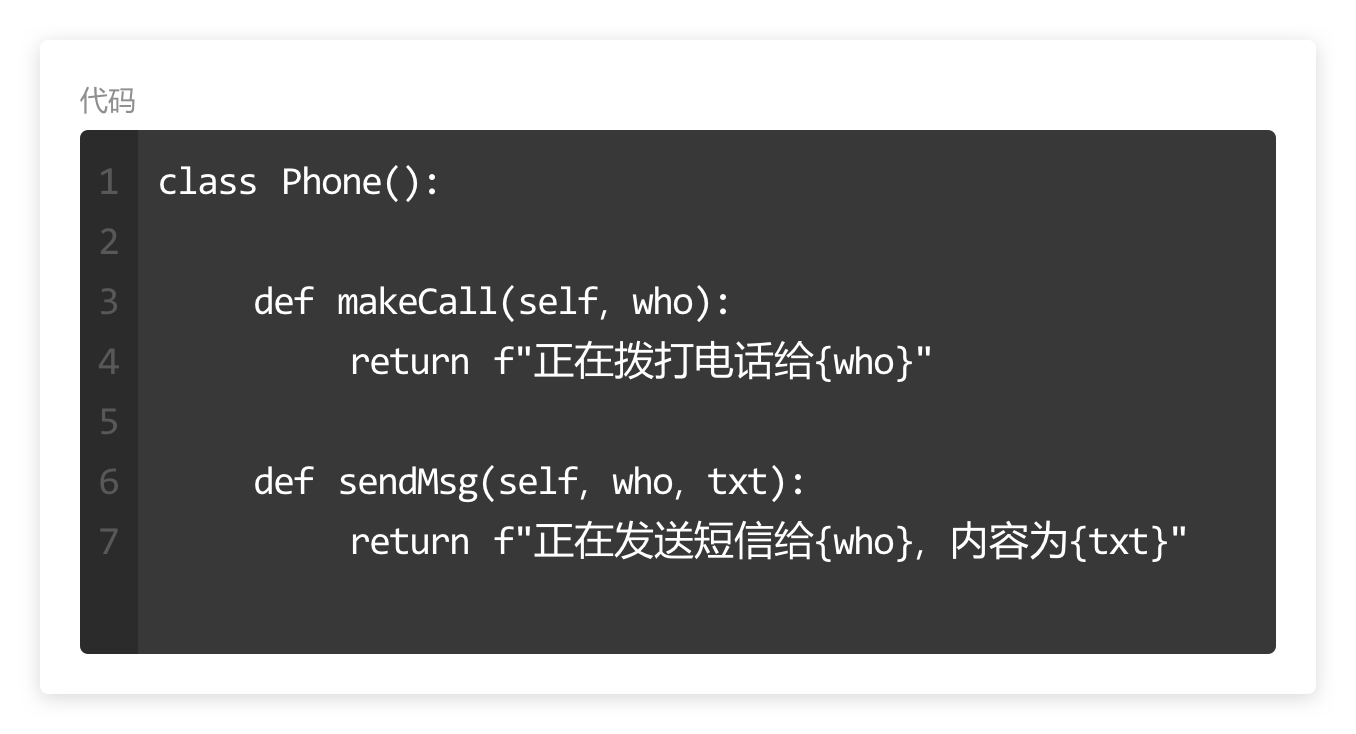
def sendMsg(self, who, txt):
return f"正在发送短信给{who}, 内容为{txt}"</code></pre>
<p><strong>代码的作用</strong>
用<code>class</code>定义一个类,并命名为<code>Phone</code>。</p>
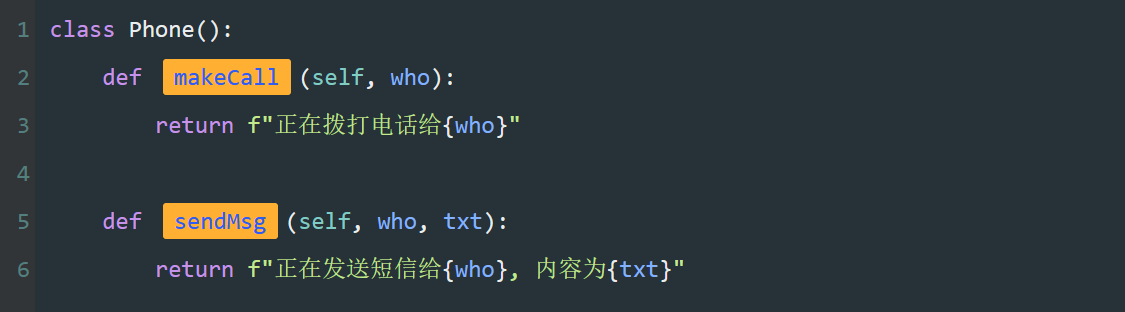
<p>第2~6行,为该类添加了打电话和发短信两个功能。即定义了两个方法<code>makeCall</code>与<code>sendMsg</code>。</p>
<p>第2,3行,<code>makeCall</code>方法接收联系人的名字为参数,并将文字格式化输出。</p>
<p>第5,6行,<code>sendMsg</code>方法接收联系人的名字与短信内容为参数,并将文字格式化输出。</p>
<p><strong>关键字</strong>
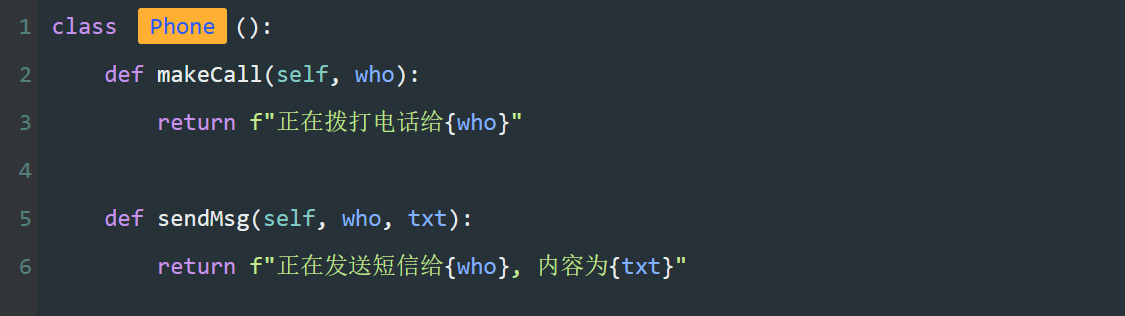
<code>class</code>,在程序中定义类的关键字。
<img src=“https://assets.moshanghua.net/images/2022/08/msh-2600-03.png” alt=“” /></p>
<p><strong>类名</strong>
一串文字,为类定义的名称。
<strong>为了区分类与函数,类的名称首字母建议大写。</strong>
<img src=“https://assets.moshanghua.net/images/2022/08/msh-2600-04.png” alt=“” /></p>
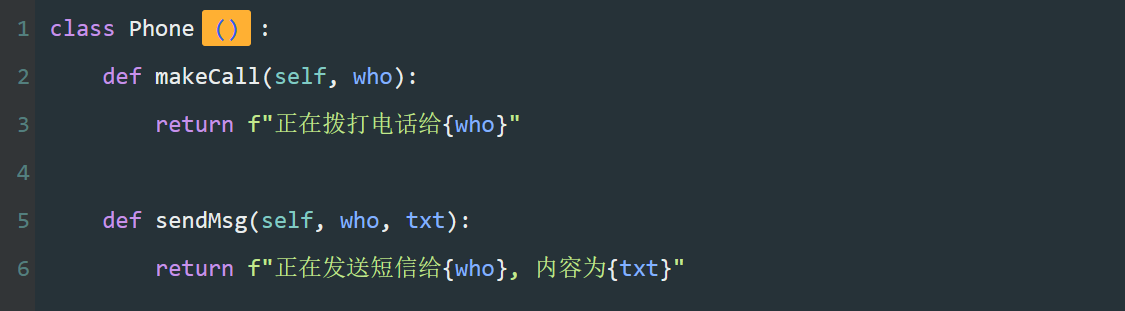
<p><strong>括号</strong>
一对括号,定义类的标准写法。
<img src=“https://assets.moshanghua.net/images/2022/08/msh-2600-05.png” alt=“” /></p>
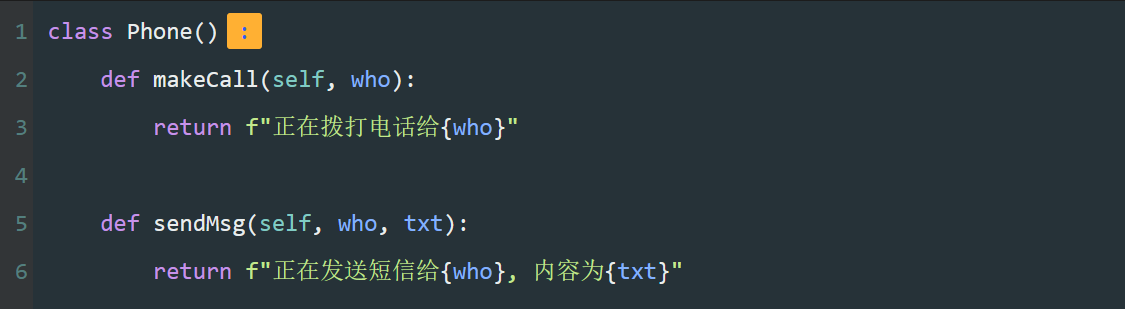
<p><strong><code>:</code></strong>
一个冒号,表明接下来缩进的代码是属于这个类的。
<img src=“https://assets.moshanghua.net/images/2022/08/msh-2600-06.png” alt=“” /></p>
<p><strong>四个空格</strong>
一个缩进,表示该代码块属于<code>Phone</code>这个类。
<img src=“https://assets.moshanghua.net/images/2022/08/msh-2600-07.png” alt=“” /></p>
<p><strong>方法名</strong>
类中的两个特殊函数,称为方法。
方法又被称为成员函数,用来表现这个类的一些功能。</p>
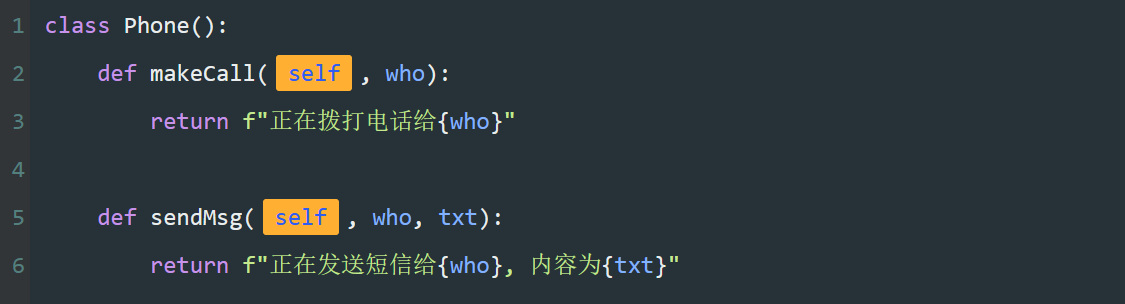
<p><strong>成员函数的第一个参数为<code>self</code>。</strong>
<img src=“https://assets.moshanghua.net/images/2022/08/msh-2600-08.png” alt=“” /></p>
<p><strong>特殊的参数</strong>
<code>self</code>参数,由程序自动传入的参数,指调用该方法的对象。</p>
<p><strong>第一个参数为self,是定义实例方法的固定写法。</strong>
<img src=“https://assets.moshanghua.net/images/2022/08/msh-2600-09.png” alt=“” /></p>
<p><strong>代码小结</strong>
当我们要定义一个类时就需要这几个部分
<img src=“https://assets.moshanghua.net/images/2022/08/msh-2600-10.png” alt=“” /></p>
<p>类是抽象的,我们要使用类,就需要实例化一个对象。</p>
<p><strong>对象是以类为模板创建的。</strong></p>
<p>这个过程类似于以人类的共同特性为模板,创造一个特定的人。
可以这样说,你就是人类的一个实例对象。
<img src=“https://assets.moshanghua.net/images/2022/08/msh-2600-11.jpg” alt=“” /></p>
<p>接下来学习一下如何通过类来实例一个具体的对象。
用Phone类来实例化两个对象表示我的手机与你的手机。
<img src=“https://assets.moshanghua.net/images/2022/08/msh-2600-12.png” alt=“” /></p>
<h2>实例化对象</h2>
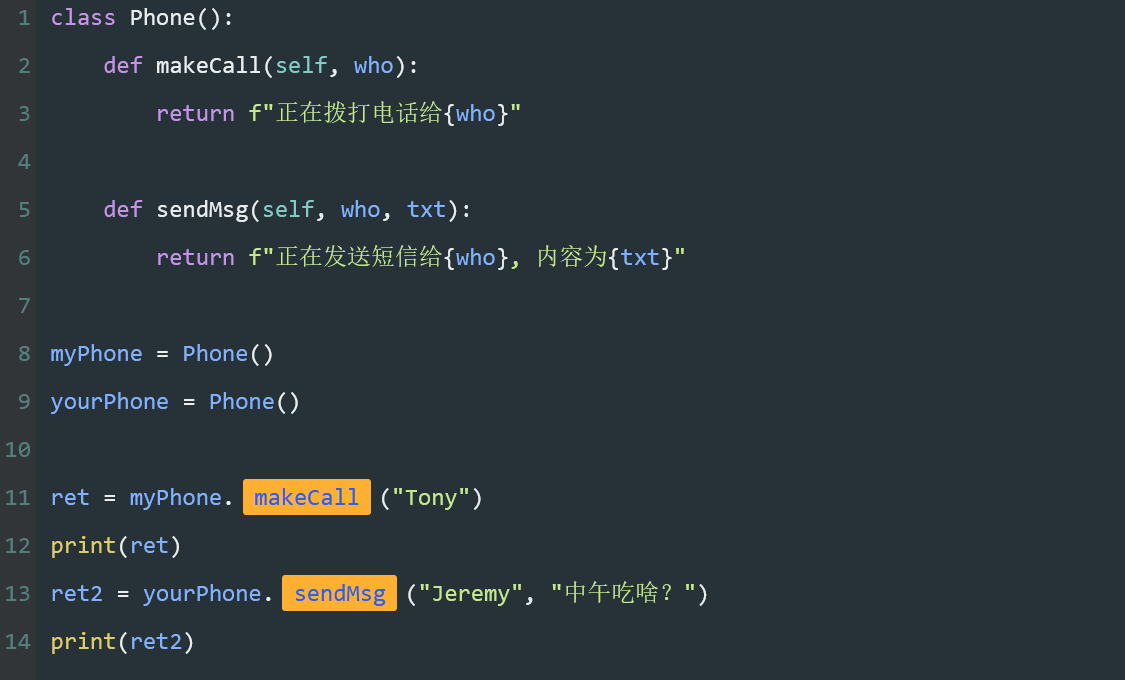
<pre><code class=“language-python”>class Phone():



def makeCall(self, who):
return f"正在拨打电话给{who}"
def sendMsg(self, who, txt):
return f"正在发送短信给{who}, 内容为{txt}"
myPhone = Phone()
yourPhone = Phone()
ret = myPhone.makeCall("Tony")
print(ret)
ret2 = yourPhone.sendMsg("Jeremy", "中午吃啥?")
print(ret2)</code></pre>
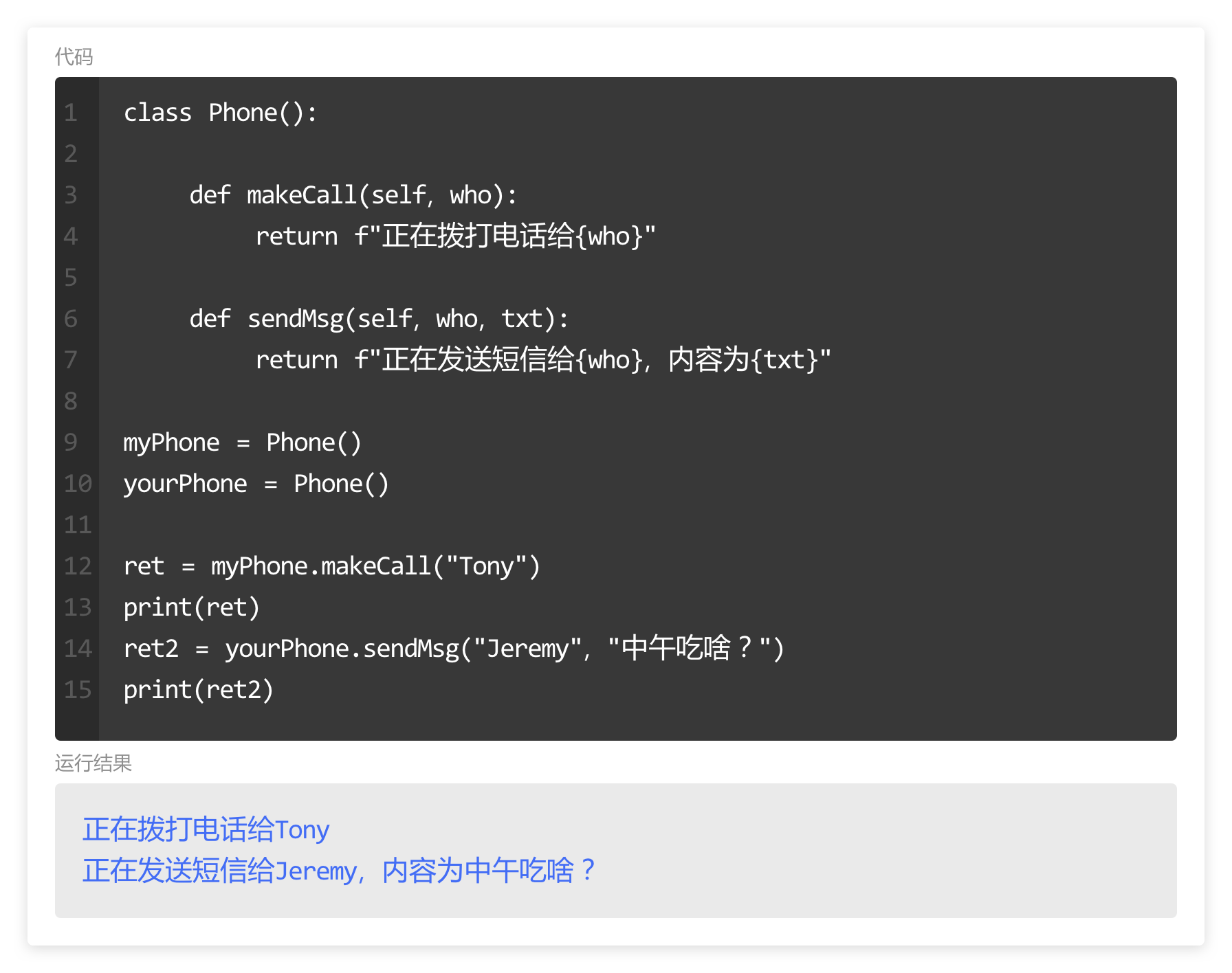
<p><strong>代码的作用</strong>
将刚才定义好的<code>Phone</code>类拿过来,并实例化两个对象<code>myPhone</code>与<code>yourPhone</code>。</p>
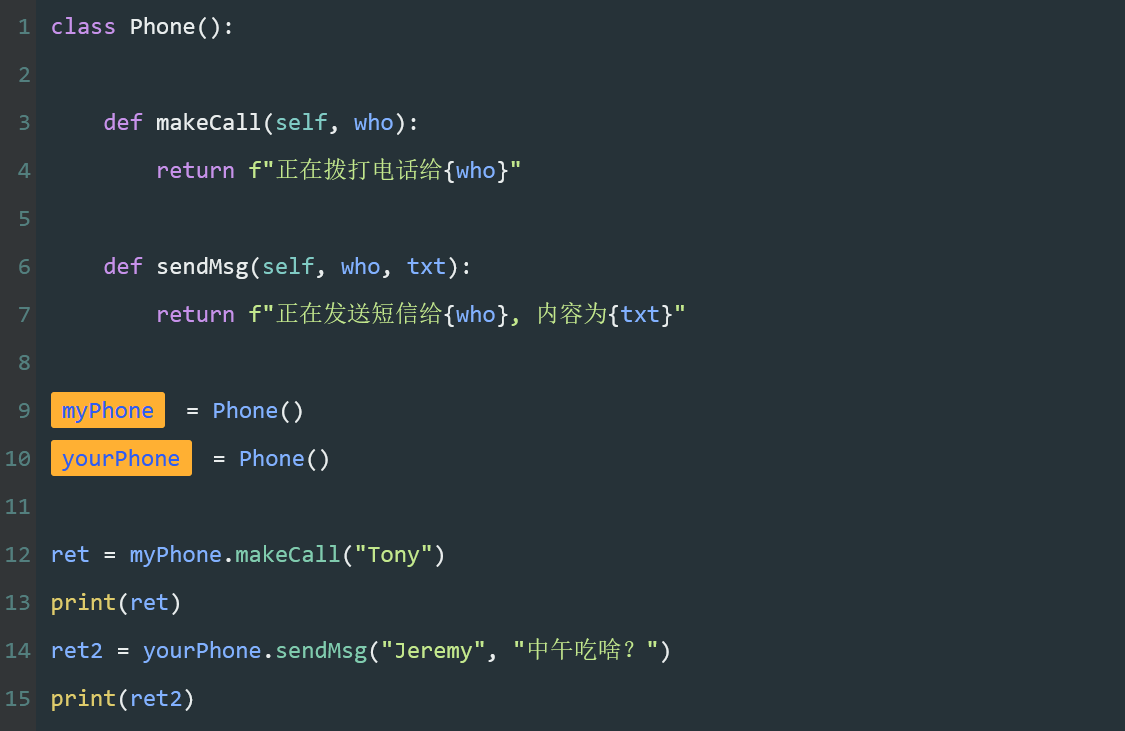
<p>第9,10行,创建<code>Phone</code>的对象<code>myPhone</code>与<code>yourPhone</code>。</p>
<p>第12行,调用<code>myPhone</code>的方法<code>makeCall</code>,把结果存储到<code>ret</code>中。</p>
<p>第14行,调用<code>yourPhone</code>的方法<code>sendMsg</code>,把结果存储到<code>ret2</code>。</p>
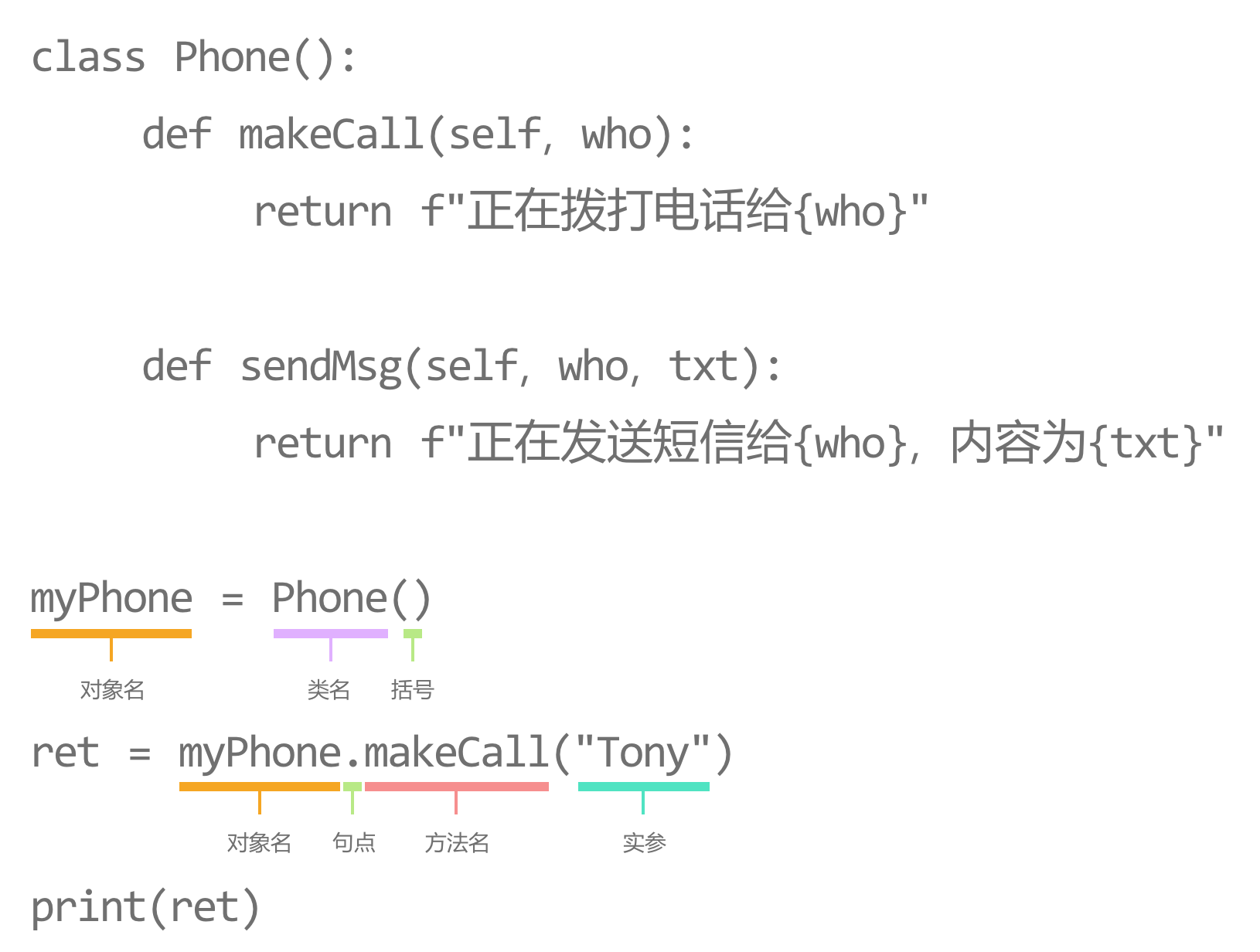
<p><strong>对象名</strong>
一个变量名,为对象设定的名称。
<img src=“https://assets.moshanghua.net/images/2022/08/msh-2600-13.png” alt=“” /></p>
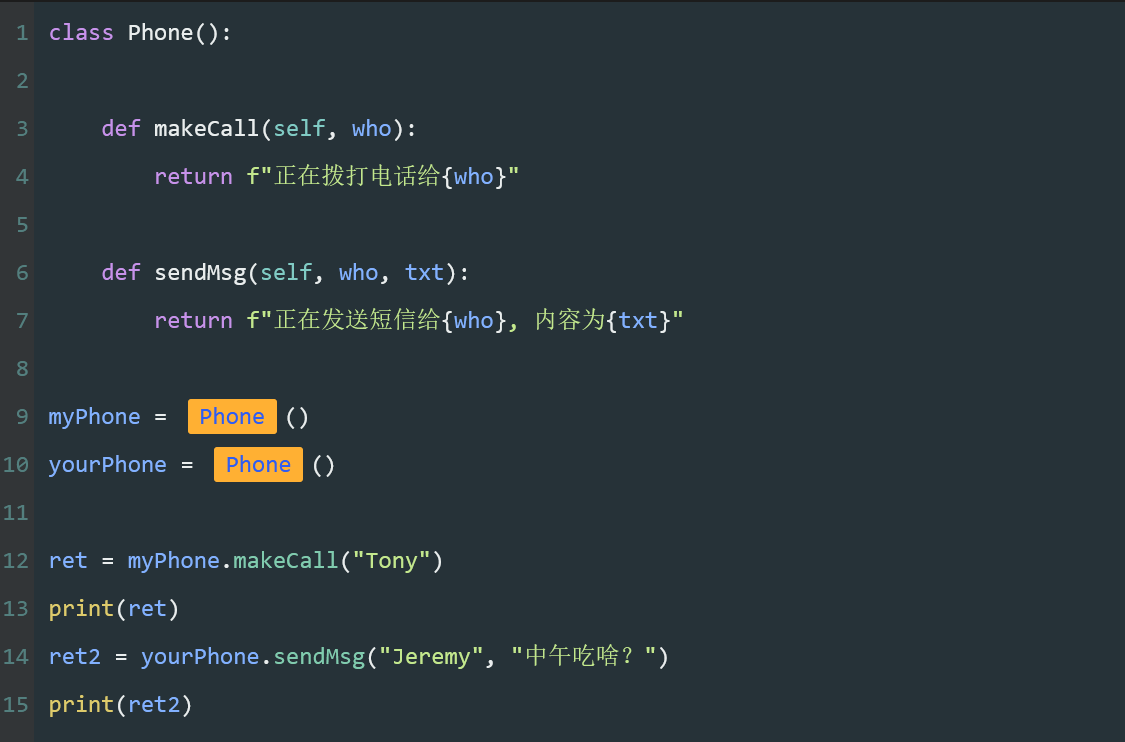
<p><strong>类名</strong>
定义好的类名。
<img src=“https://assets.moshanghua.net/images/2022/08/msh-2600-14.png” alt=“” /></p>
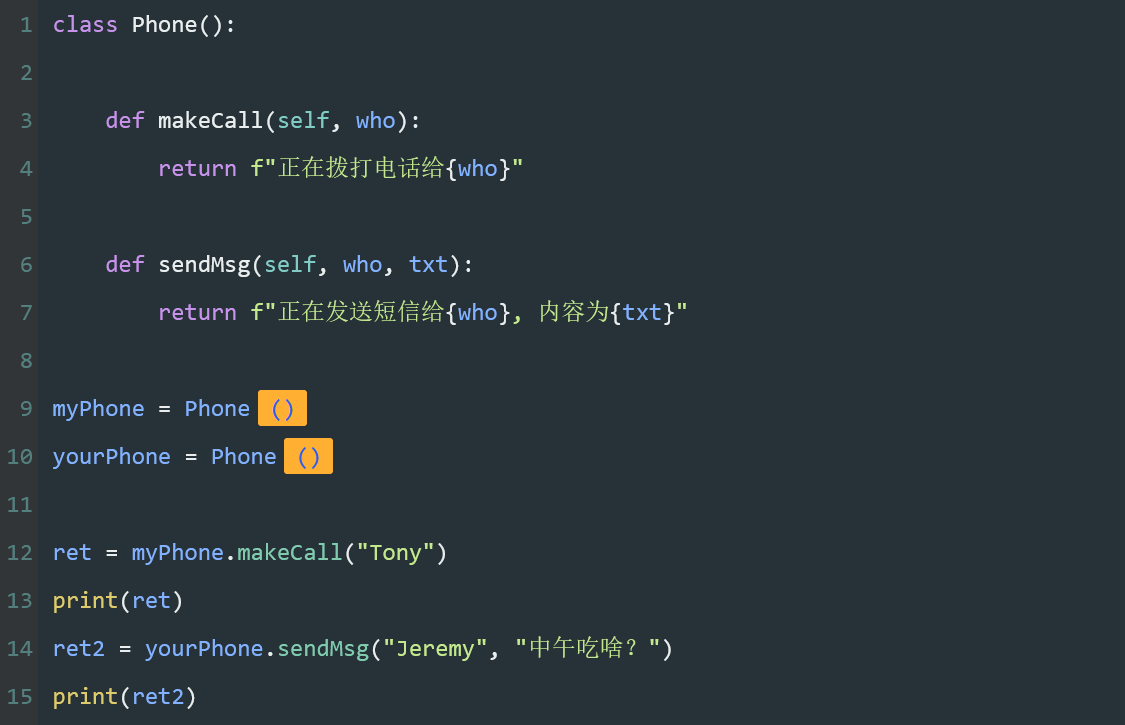
<p><strong>括号</strong>
括号,表示调用Phone类实例化一个对象。
<img src=“https://assets.moshanghua.net/images/2022/08/msh-2600-15.png” alt=“” /></p>
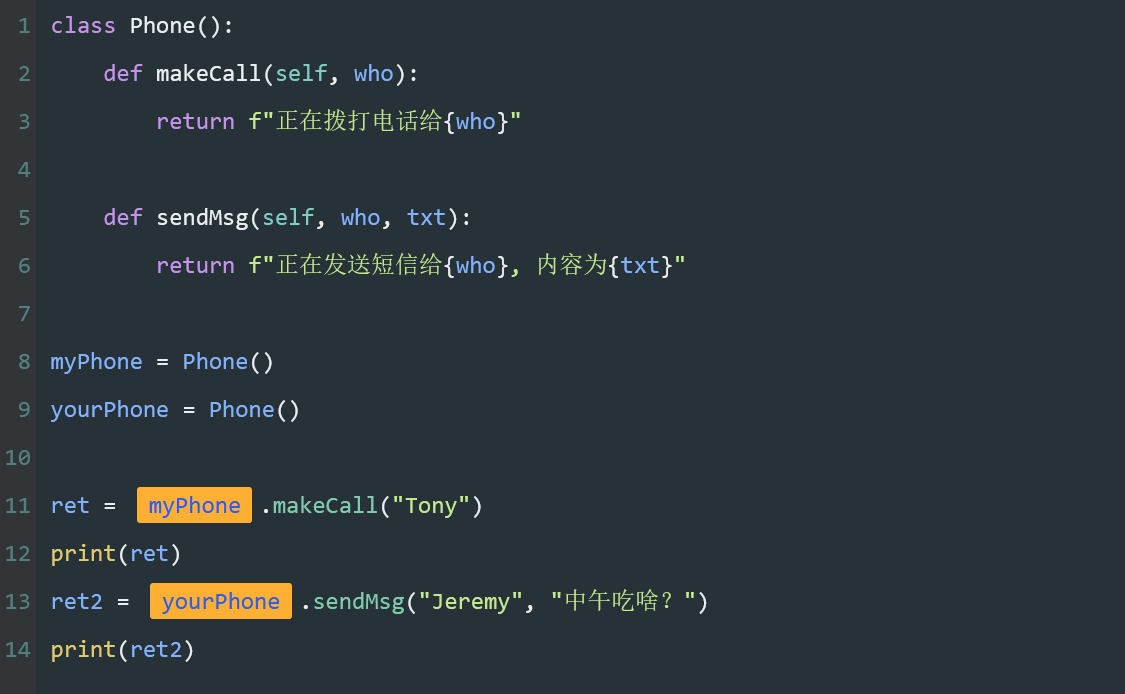
<p><strong>对象</strong>
对象名称,用对象名调用指定的方法。
<img src=“https://assets.moshanghua.net/images/2022/08/msh-2600-16.png” alt=“” /></p>
<p><strong>句点</strong>
一个句点【.】。</p>
<p><strong>用句点连接对象名与对象的方法,称为句点表示法。</strong></p>
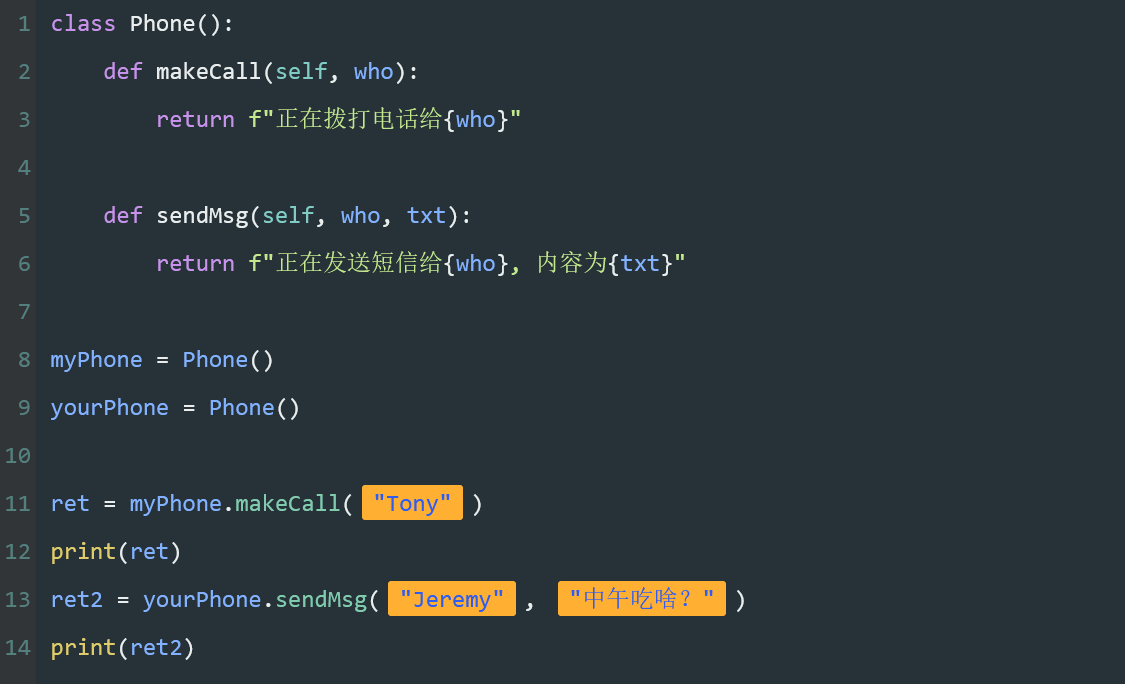
<p>例如第11行,表示<code>myPhone</code>使用了他的方法(功能)<code>makeCall</code>(打电话)。
<img src=“https://assets.moshanghua.net/images/2022/08/msh-2600-17.png” alt=“” /></p>
<p><strong>方法名</strong>
方法名,对象要调用的方法名称。
<img src=“https://assets.moshanghua.net/images/2022/08/msh-2600-18.png” alt=“” /></p>
<p><strong>实参</strong>
调用方法时传递的实参。</p>
<p><strong>调用对象的方法时,不需要为self参数传递实参。</strong></p>
<p>这里,第11行的<code>“Tony”</code>实参传递给<strong>makeCall</strong>的<strong>“who”</strong>形参。</p>
<p>第13行的<code>“Jeremy”</code>实参传递给<code>sendMsg</code>的<code>“who”</code>形参,“中午吃啥”传递给<code>sendMsg</code>的<code>“txt”</code>形参。
<img src=“https://assets.moshanghua.net/images/2022/08/msh-2600-19.png” alt=“” /></p>
<p><strong>代码小结</strong>
当我们要实例化对象时就需要这几个部分
<img src=“https://assets.moshanghua.net/images/2022/08/msh-2600-20.png” alt=“” /></p>
<h3>小练习</h3>
<p>实例化对象
为Cat实例化一个对象mimi,并使用该对象调用talk方法。</p>
<pre><code class=“language-python”>class Cat():
def talk(self):
print("喵喵喵")

创建一个Cat对象,并存储在mimi中
mimi = Cat()
调用mimi的方法talk
mimi.talk()</code></pre>
<h2>类的属性与初始化</h2>
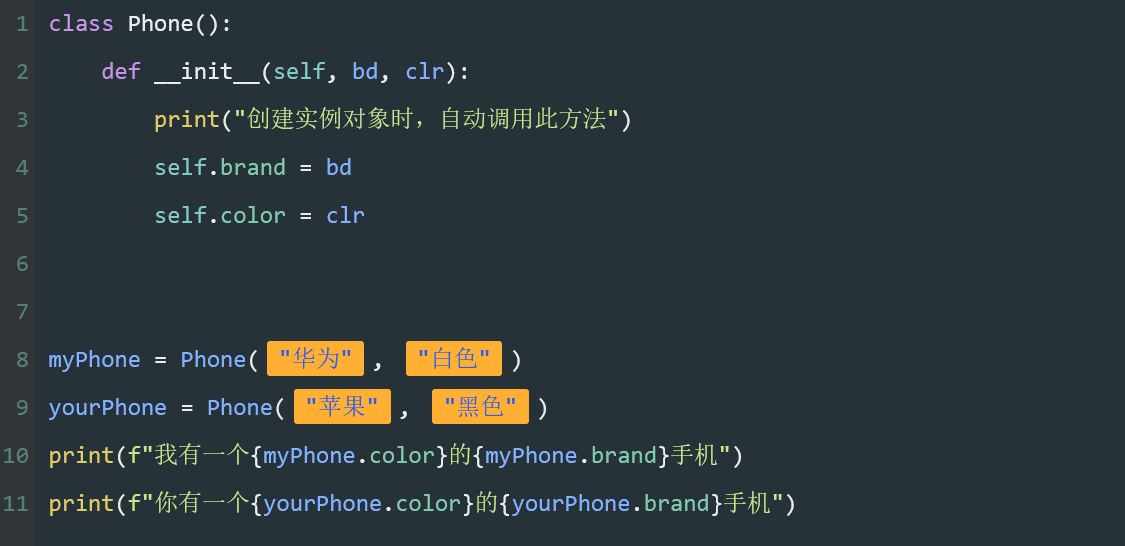
<p>在刚才的代码中,创建了一个包含两个方法的Phone类,并且创建两个不同的实例对象去调用这些方法。</p>
<p>现在让我们为类设置属性,并在创建实例化对象时,初始化该属性的值。</p>
<p>手机的属性有:颜色,品牌。
<img src=“https://assets.moshanghua.net/images/2022/08/msh-2600-21.png” alt=“” /></p>
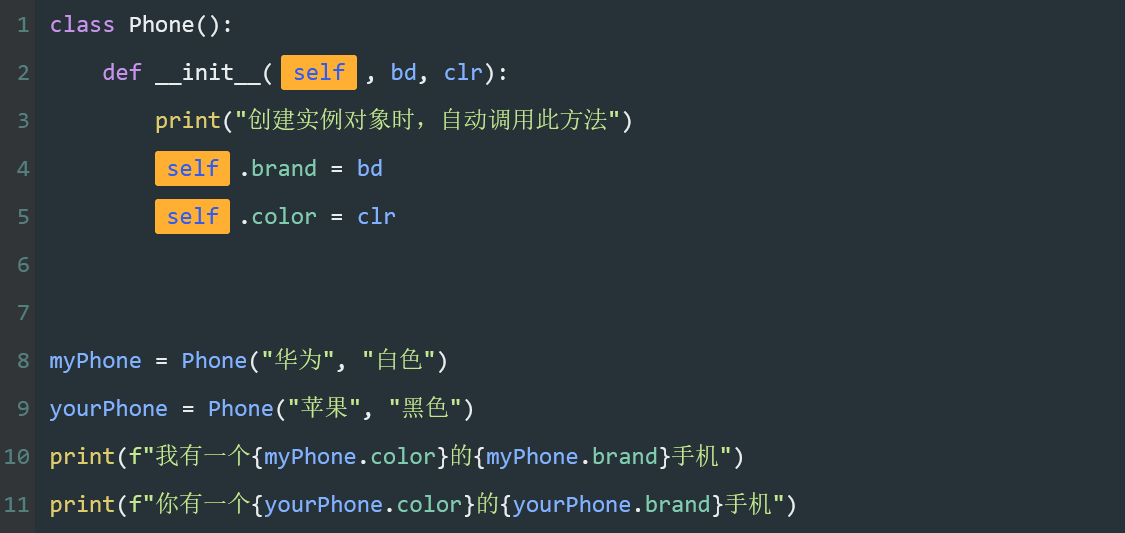
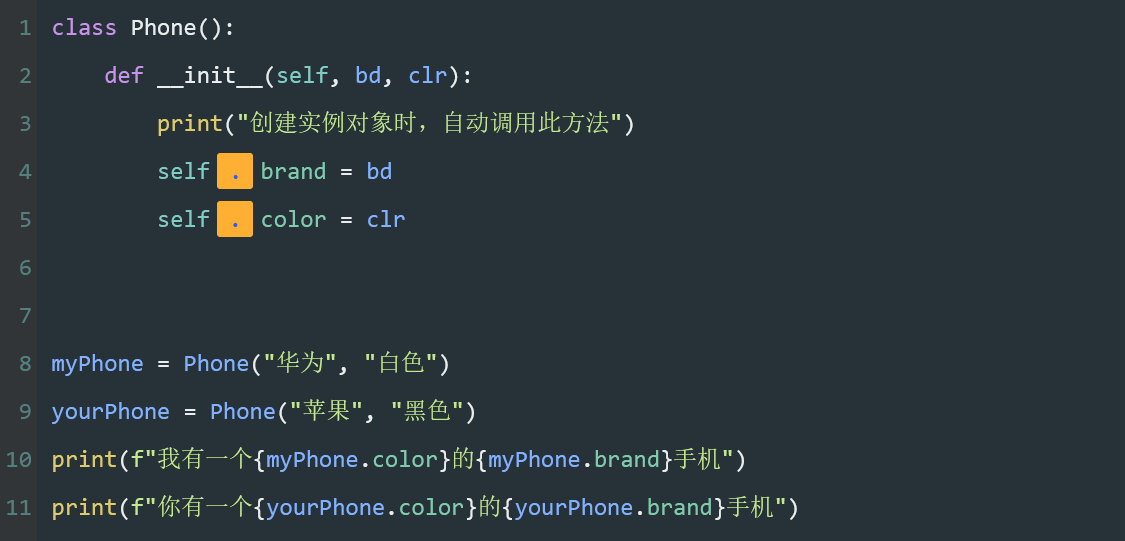
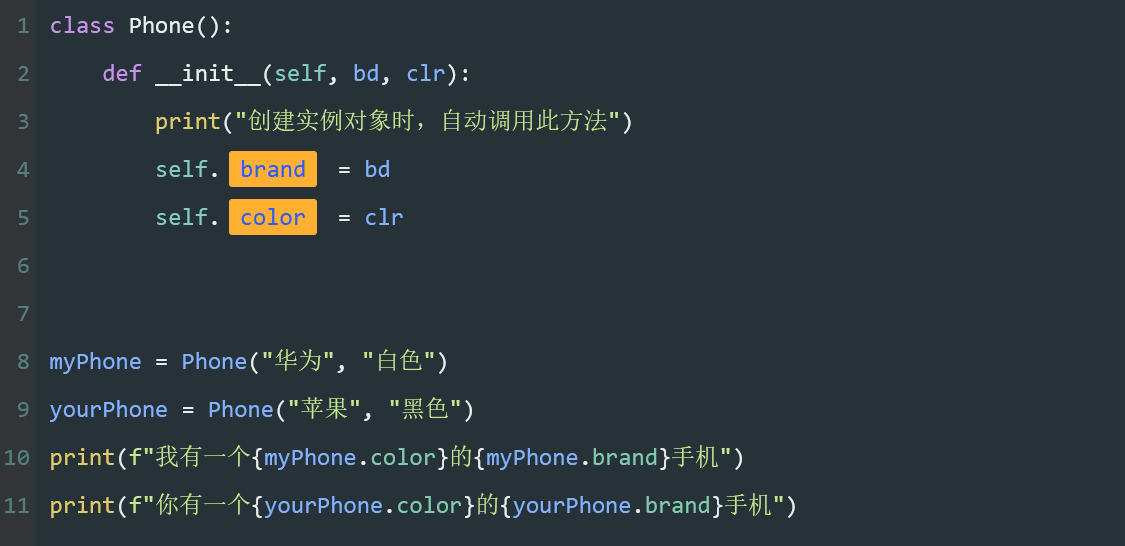
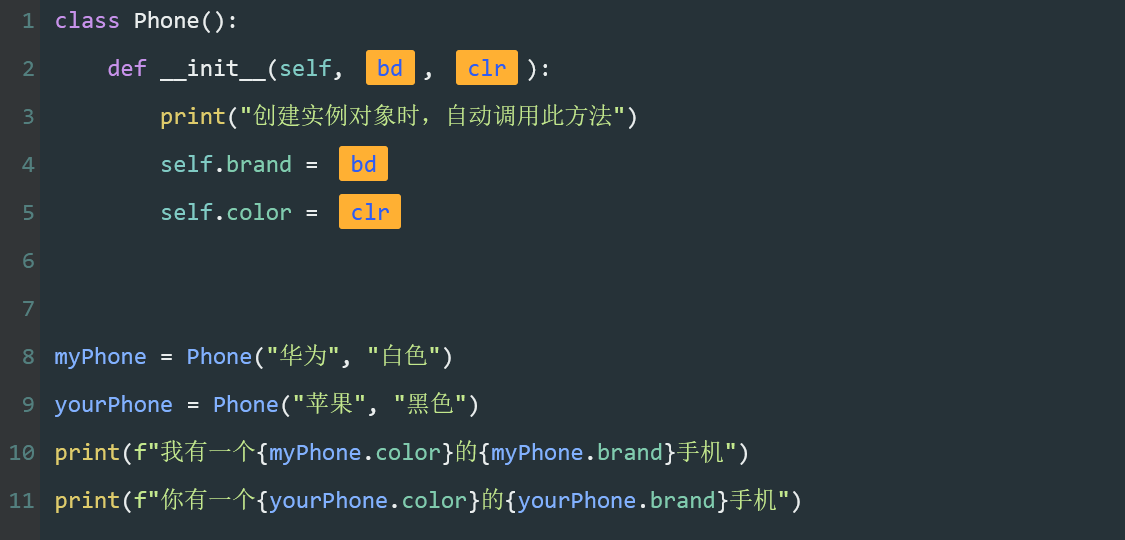
<pre><code class=“language-python”>class Phone():
def init(self, bd, clr):
print("创建实例对象时,自动调用此方法")
self.brand = bd
self.color = clr

myPhone = Phone("华为", "白色")
yourPhone = Phone("苹果", "黑色")
print(f"我有一个{myPhone.color}的{myPhone.brand}手机")
print(f"你有一个{yourPhone.color}的{yourPhone.brand}手机")</code></pre>
<p><strong>代码的作用</strong>
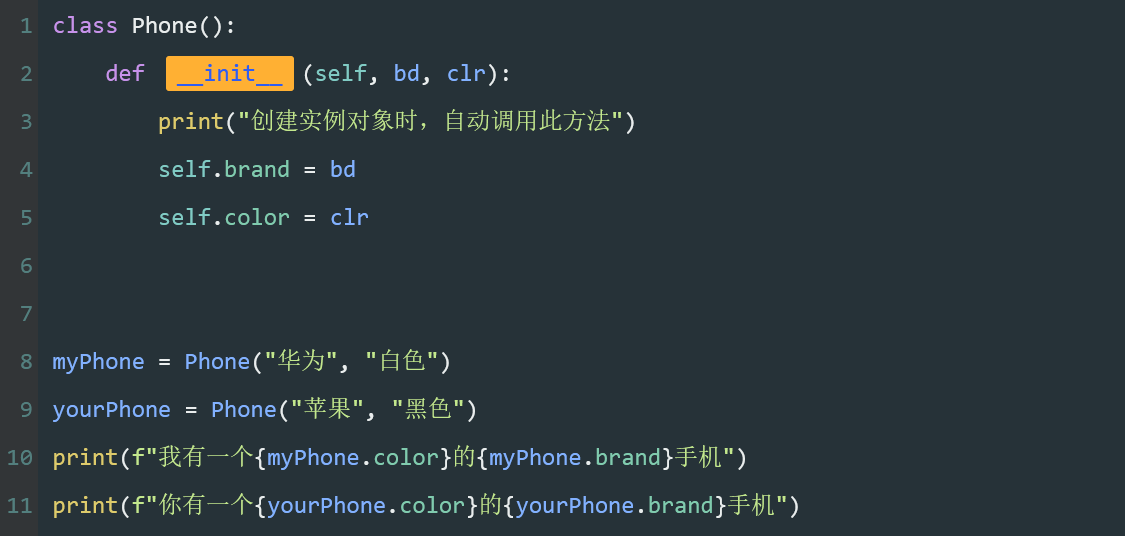
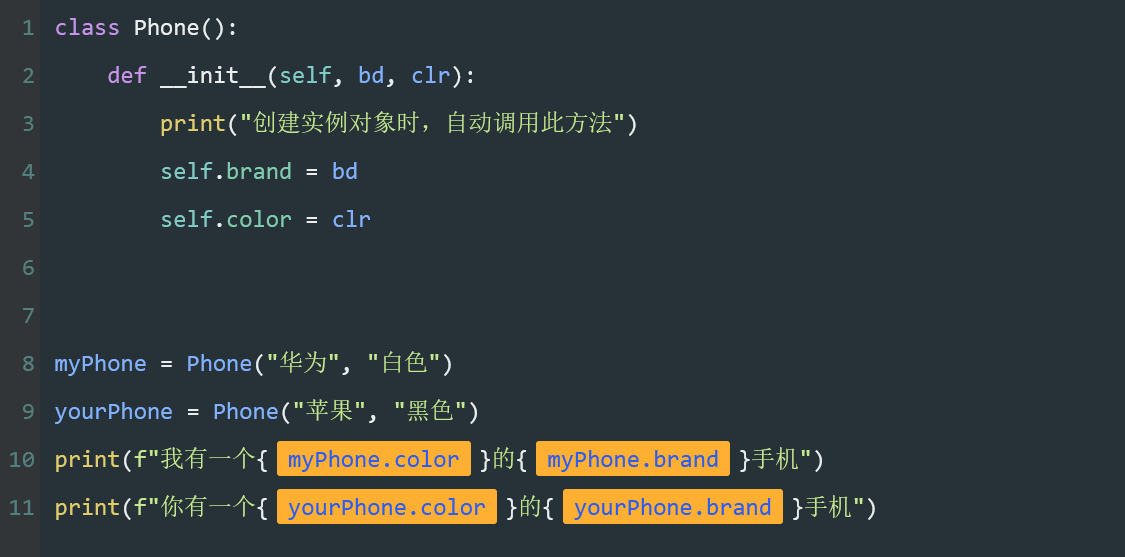
为<code>Phone</code>类添加品牌<code>(brand)</code>与颜色<code>(color)</code>两个属性。</p>
<p>第2行,定义初始化方法<code>init</code>并设定两个参数<code>bd</code>与<code>clr</code>。</p>
<p>第8,9行,创建实例化对象<code>myPhone</code>与<code>yourPhone</code>,并为<code>init</code>方法传递参数两组不同的参数。</p>
<p>第10,11行,分别格式化输出实例对象的<code>color</code>与<code>brand</code>属性</p>
<p><strong>初始化方法</strong>
初始化方法<code>init</code>,是一个特殊的方法。</p>
<p><code>init</code> 的<strong>左右两边各有两个下划线</strong>,即整个名称共有四个下划线。</p>
<p>初始化类似于出厂设置,表示“开始时做好准备”,会在<strong>创建对象时自动被调用</strong>。
<img src=“https://assets.moshanghua.net/images/2022/08/msh-2600-22.png” alt=“” /></p>
<p><strong>特殊的参数</strong>
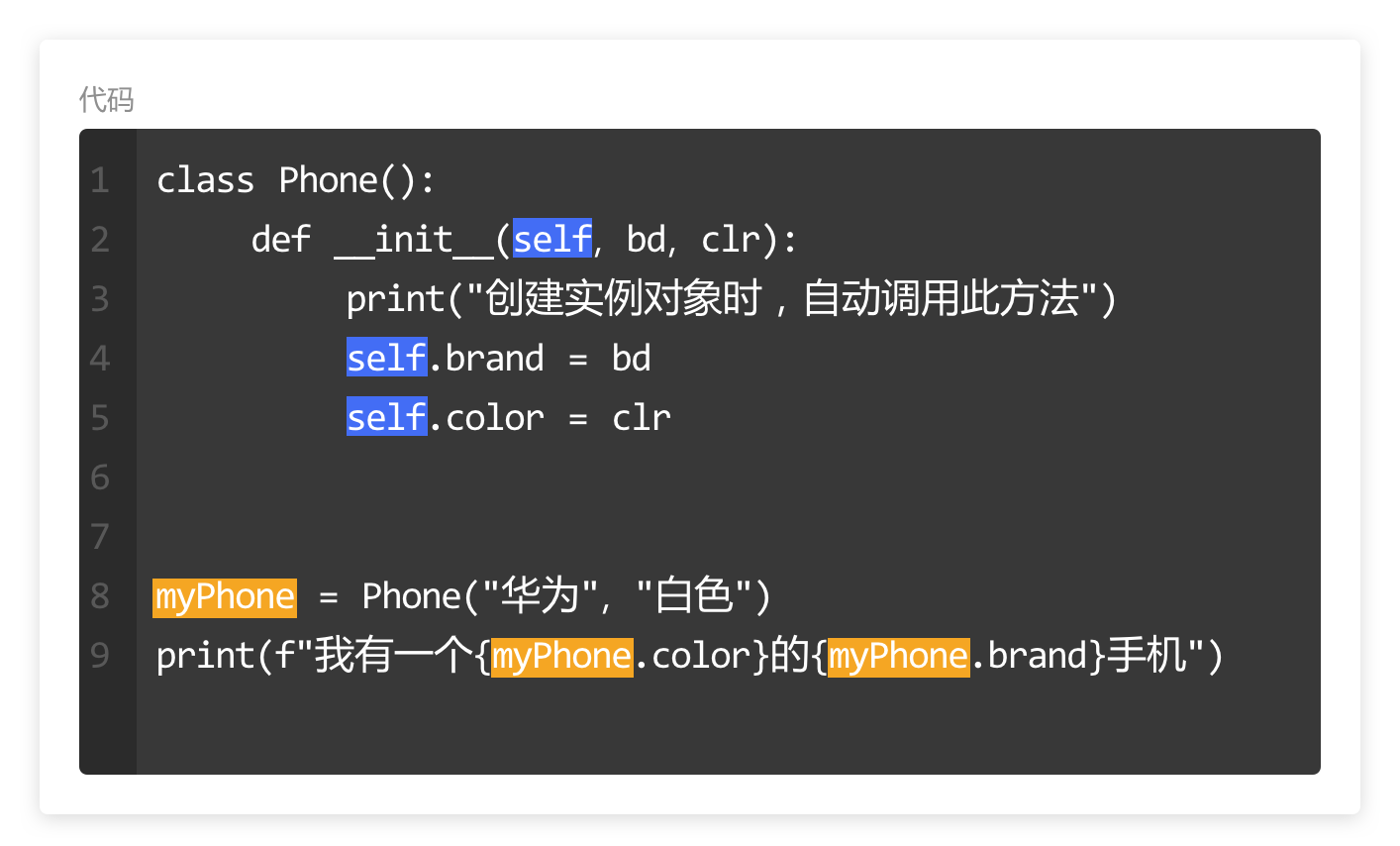
<code>self</code>参数,是调用方法时由程序自动传入的参数,指实例化后的对象。
<img src=“https://assets.moshanghua.net/images/2022/08/msh-2600-23.png” alt=“” /></p>
<p><strong>句点</strong>
一个句点,用来连接对象名与属性。</p>
<p>因为这里还没有创建对象,所有对象名用self参数代替。
<img src=“https://assets.moshanghua.net/images/2022/08/msh-2600-24.png” alt=“” /></p>
<p><strong>属性</strong>
<strong>对象的两个变量</strong>,称为属性。</p>
<p>与之前创建的变量不同,<code>brand</code>与<code>color</code>是专属于该类对象的变量,只能被类的对象使用。
<img src=“https://assets.moshanghua.net/images/2022/08/msh-2600-25.png” alt=“” /></p>
<p><strong>参数</strong>
初始化函数的两个形参名。接收传递的数据后赋值给对象的两个属性<code>brand</code>与<code>color</code>。
<img src=“https://assets.moshanghua.net/images/2022/08/msh-2600-26.png” alt=“” /></p>
<p><strong>实参</strong>
两组数据。在创建对象时,为初始化函数中的<code>brand</code>与<code>color</code>传递的数据。
<img src=“https://assets.moshanghua.net/images/2022/08/msh-2600-27.png” alt=“” /></p>
<p><strong>使用属性</strong>
两个对象分别使用它们的属性,并格式化输出内容。
<img src=“https://assets.moshanghua.net/images/2022/08/msh-2600-28.png” alt=“” /></p>
<p><strong>代码小结</strong>
当我们初始化属性时需要这几个部分
<img src=“https://assets.moshanghua.net/images/2022/08/msh-2600-29.png” alt=“” /></p>
<h2>特殊的self参数</h2>
<p>通过前面的内容知道,对象的属性与方法需要用句点表示法将对象名与方法名连接在一起。</p>
<p>但是在定义类时,我们还不知道要创建哪些对象,所以<code>self</code>的作用就是将实例化的对象名称(引用)传递到方法中。</p>
<p>比如在<code>myPhone</code>对象中,<code>self.brand</code> 代表的是<code>myPhone.brand</code>。
<img src=“https://assets.moshanghua.net/images/2022/08/msh-2600-30.png” alt=“” /></p>
<p><strong>初始化过程</strong>
在创建一个实例对象时,程序会自动调用<strong>init</strong>方法。</p>
<h2>最后</h2>
<p>总结一下类与对象的注意事项。</p>
<p>方法与属性只能被实例对象调用</p>
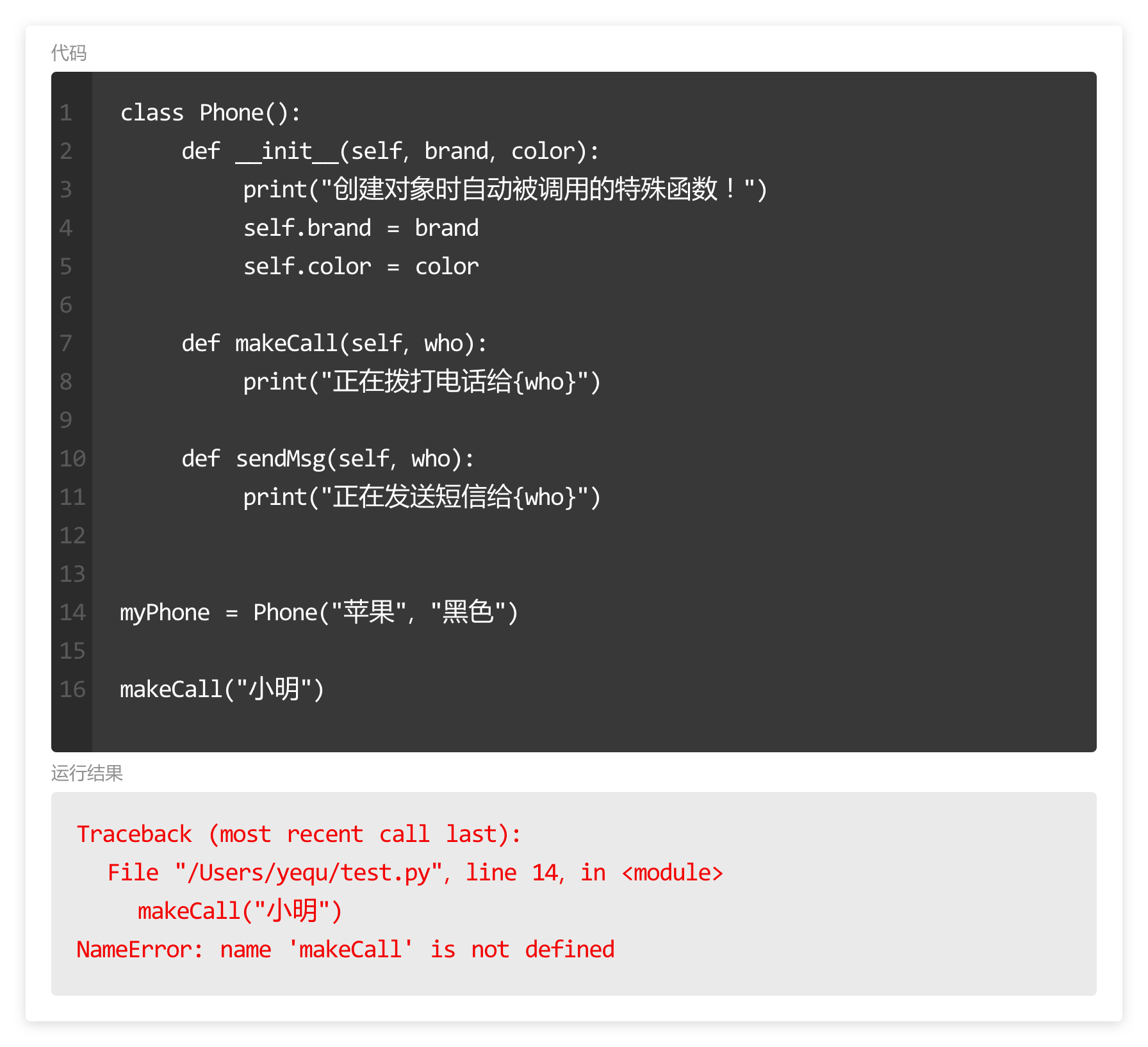
<p>就像<code>append</code>只能被列表使用一样,方法与属性只能用句点表示法被该类的实例使用,否则就会出错。
<img src=“https://assets.moshanghua.net/images/2022/08/msh-2600-32.png” alt=“” /></p>
<p>函数与方法
在Python中有着一切皆对象的说法,我们创建的字符串、列表、元组等本质上都是该类型的一个对象。</p>
<p><strong>所以直接调用的<code>print()</code>、<code>range()</code>为函数,用句点表示调用的<code>append()</code>、<code>keys()</code>等为某个对象的方法。</strong>
<img src=“https://assets.moshanghua.net/images/2022/08/msh-2600-33.png” alt=“” /></p>
<h3>小练习</h3>
<p><strong>属性的使用</strong>
现有一个Cat类,并为该类初始化了两个属性名称(name)与品种(breed)。</p>
<p>假设我有一只“橘猫”叫做“大黄”,实例化一个Cat对象存储到myCat中,并传递参数"大黄", "橘猫"。</p>
<p>假设你有一只"布偶猫"叫做“土豆”,实例化一个Cat对象存储到yourCat中,并传递参数"土豆", "布偶猫"</p>
<p>最后分别按照“有一只xx叫做xxx”的格式输出(需要用到格式化输出)。</p>
<pre><code class=“language-python”>class Cat():
def init(self, name, breed):
self.name = name
self.breed = breed
def talk(self):
print("喵喵喵")


实例化一个Cat对象存储到myCat中,并传递参数"大黄", "橘猫"
myCat = Cat("大黄", "橘猫")
实例化一个Cat对象存储到yourCat中,并传递参数"土豆", "布偶猫"
yourCat = Cat("土豆", "布偶猫")
分别按照格式输出字符串
print(f"有一只{myCat.breed}叫做{myCat.name}")
print(f"有一只{yourCat.breed}叫做{yourCat.name}")</code></pre>
<p><strong>判断用户是否为会员</strong>
现有一个User类,并为该类初始化了两个属性用户名(name)与是否为会员(isVIP)。</p>
<p>实例化一个User对象存储到tony中,并传递参数"Tony", True
实例化一个User对象存储到jeremy中,并传递参数"Jeremy", False
最后分别调用tony与jeremy的sayHi方法。</p>
<pre><code class=“language-python”>class User():
def init(self, name, isVIP):
self.name = name
self.isVip = isVIP
def sayHi(self):
    if self.isVip:
        print(f'尊贵的会员{self.name},欢迎您!')
    else:
        print(f'{self.name},欢迎您!')
实例化一个User对象存储到tony中,并传递参数"Tony", True
tony = User("Tony", True)
实例化一个User对象存储到jeremy中,并传递参数"Jeremy", False
jeremy = User("Jeremy", False)
分别调用tony与jeremy的sayHi方法
tony.sayHi()
jeremy.sayHi()</code></pre>
<p><strong>计算学生平均成绩</strong>
现有一个MathScore类,并为该类初始化了两个属性班级名称(name)与本学期数学成绩列表(scoreList)。</p>
<p>实例化一个MathScore对象存储到class32 中,并传递参数"三年级二班", [78, 99, 88, 87, 67]
最后调用class32的showMsg方法</p>
<pre><code class=“language-python”>class MathScore():
def init(self, className, scoreList):
self.className = className
self.scoreList = scoreList
self.studentNums = len(self.scoreList)
def getSum(self):
    # 计算成绩总和
    s = 0
    for score in self.scoreList:
        # 注:s += score 为 s = s + score 的简写
        s += score
    return s

def mean(self):
    # 计算成绩平均数
    return self.getSum()/self.studentNums

def showMsg(self):
    print(f"{self.className}共有{self.studentNums}人,数学平均成绩为{self.mean()}")
实例化一个MathScore对象存储到class32 中,并传递参数"三年级二班", [78, 99, 88, 87, 67]
class32 = MathScore("三年级二班", [78, 99, 88, 87, 67])
调用class32的showMsg方法
class32.showMsg()</code></pre>
评论区
太赞了,路过点个赞[qiang]
WindowsChrome
抄的夜曲上的笔记[wangwang]
WindowsFirefox